
Repros, Flashcarts + more
Table of Contents:
- Introduction
- Identifying authentic cartridges
- Is the Game Boy Operator worth it?
- Replacing internal cartridge batteries
- Good Flashcarts for Pokémon
- Game Boy Advance Bootleg Flasher
- Event Distribution ROMs
- Using Nintendont on your Wii
- Acquiring Nintendo 3DS eShop titles
- Sending generation one and two Pokémon home
Introduction
This is the "dark side" of Viridian Forties, where I discuss third party options for playing the games and migrating Pokémon through the generations. I want to say up front that I respect artistic integrity, so I'm not onboard with piracy. In these cases the sole reason I have used these is when the legitimate options are inaccessible, either due to software being discontinued or obscenely high secondary market prices on cartridges and other hardware. In addition to discussion of third party options, I discuss here how to identify authentic cartridges and how to maintain their batteries, since it is necessary to have some authentic copies of games to fully migrate Pokémon to Bank and then to Home.
One thing you will not see me discuss here is the use of hex editors (software that allows the user to manually edit their save files). From what I have read online, using such editors seems to be perfectly acceptable to many players as a means for moving their Pokémon between games, but I do not see it as a valid way to accomplish these tasks. Obviously it is the quicker, easier path (cue Yoda), but to me the manual changing of code does not carry with it the qualitative interactions that I have with the games and the Pokémon. I also do not think it is appropriate to manually edit data that is intended to be sent up to be used on legitimately supported modern consoles. Conversely, I will say that I do appreciate trainers who play around with code and create useful online tools and home brew versions of games. I love the creativity.
Identifying authentic cartridges
One of the more challenging aspects of collecting authentic Game Boy and Nintendo DS cartridges is being sure that what you are paying for is not a reproduction (lovingly nicknamed "repro"). There are numerous web sites and Reddit threads where people give advice and things to look for, but there are a couple of really obvious tells that I want to highlight here. A good seller will know about these as well and make sure to show them off. If you are looking at an auction listing with a poor or blurry photograph, I advise you to skip it and look for another option.
Why is authentic important?
If you want to be able to trade between games or have the capability to move your Pokémon up to more recent generations, you will have to either purchase authentic copies or use certain flashcarts (more below on that). Reproduction cartridges do not save your progress in the same fashion, so the various methods of communicating between systems and games does not work. In the case of the popular generation two remakes, Pokémon HeartGold and Pokémon SoulSilver, not only can they not communicate with other games but they also cannot communicate with the Pokéwalker accessory, which utilizes the built-in infrared capabilities. If you want to move Pokémon past generation four up to five and then to Pokémon Bank, you must have at least one authentic copy of a game from each of those two generations, due to the way the migration process works. At the time of this writing, there is no way to force that process to work with flashcarts.
Crimped Numbers and Shiny Labels
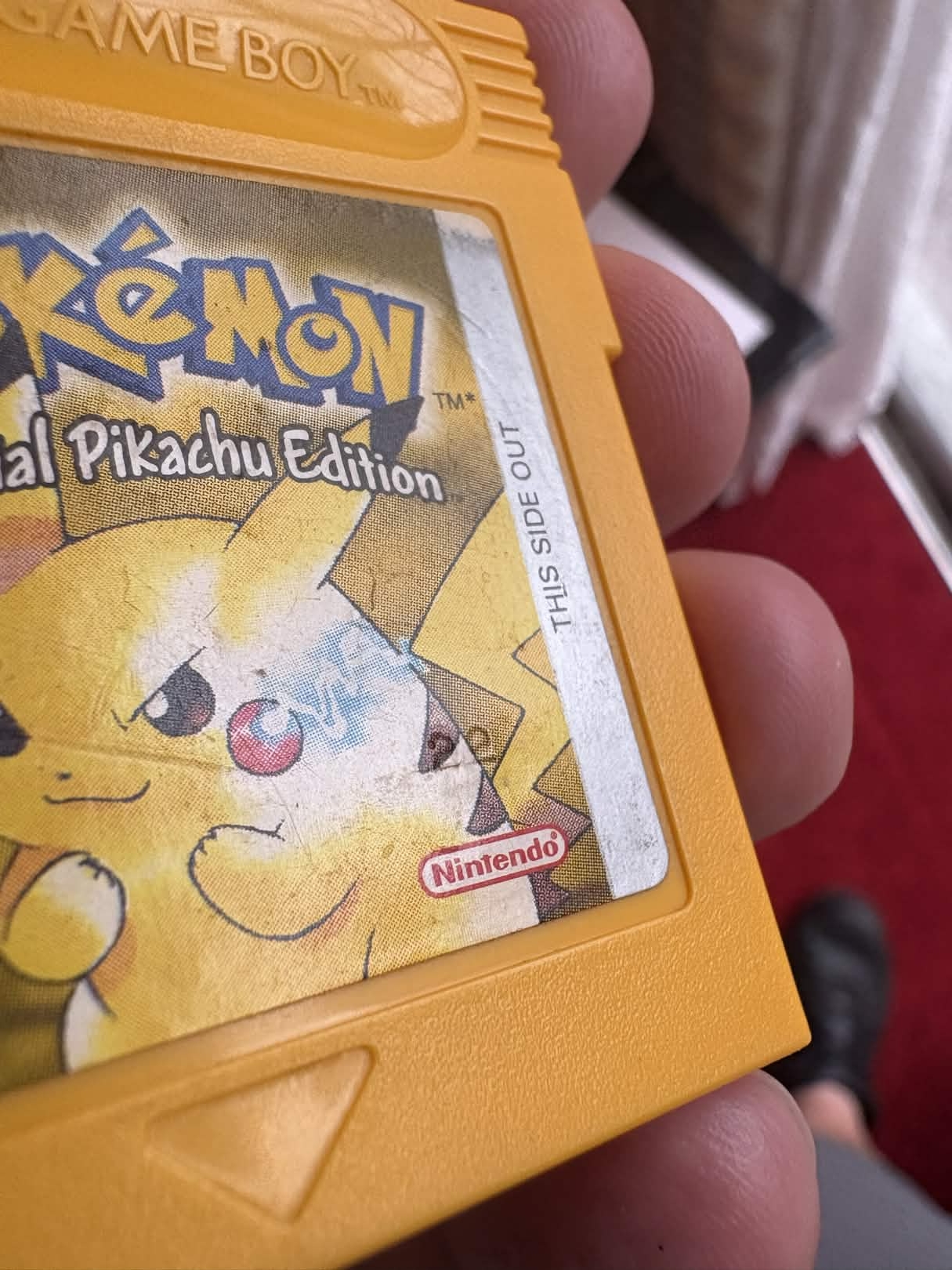
Some authentic labels (not all) will have numbers crimped into them that are very obvious when light is hitting the surface of the label from a certain angle (see the crimped number "22" on Pikachu's back stripe on my copy of Pokémon Yellow in the nearby image. The numbers are not consistently the same, even on the cartridges from the same title, nor are they always in the same location. You will see pages giving advice telling you to look at label fonts and the way Nintendo seals are created, but I personally have a hard time telling the difference, and I'm sure as time goes on replicators will get better at getting the fonts and logos correct.
What they don't seem to ever get right is the presence of the crimped numbers as well as the reflectivity of labels, especially on the Game Boy Advance Pokémon games (Ruby, Sapphire, Emerald, FireRed, LeafGreen) as well as the generation two remakes (HeartGold and SoulSilver), all of which should have metallic appearing labels. Reproduction labels are often more muted and do not reflect light as well as authentic counterparts.
Translucent Shells
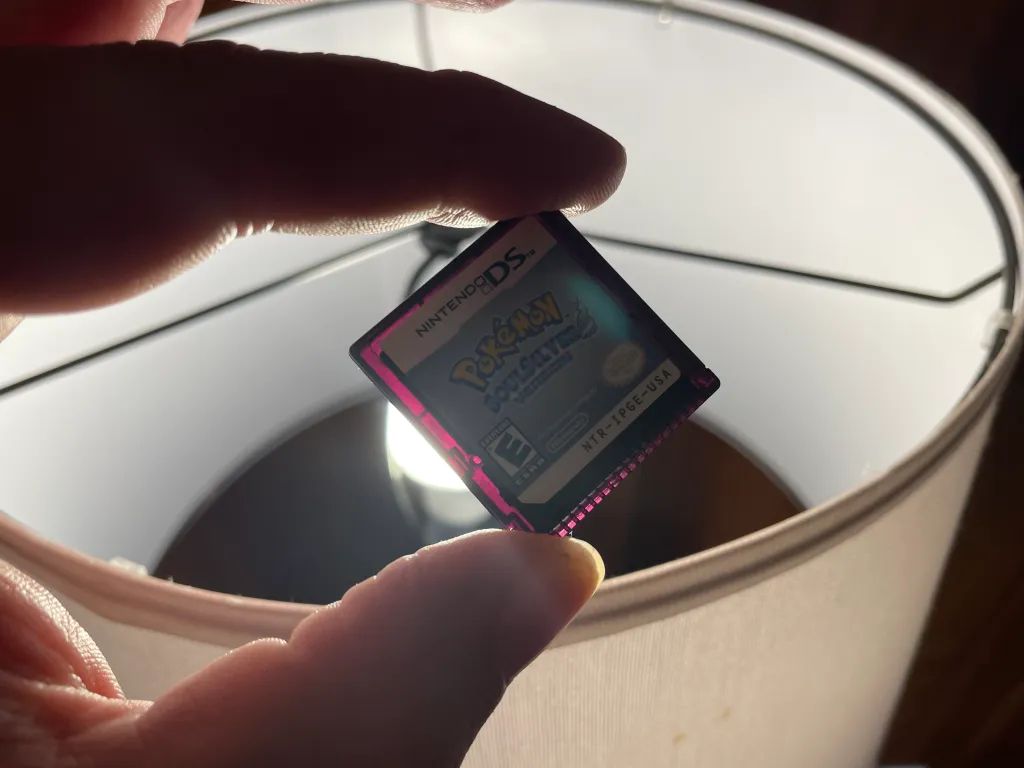
This only applies to the Game Boy Advance games and some of the Nintendo DS games. All five of the generation three Game Boy Advance titles, including the generation one remakes, have a somewhat translucent shell that allows you to see the inner circuitry. The generation two remakes on the Nintendo DS as well as all four of the generation five DS titles (Black, White, Black 2, White 2) appear to be black colored, but if you hold them in front of a good light source (see my copy of Pokémon SoulSilver to the left), you can see that they are actually translucent with a reddish purple tint. This is due to the fact that all six of these titles have built-in infrared capabilities.
Is the Game Boy Operator worth it?
My short answer is: if you want to collect and play authentic Pokémon games from the Game Boy eras, especially from generations one and two, it is 100% worth it, and I would say it is even a necessity in the case of those two earliest generations.
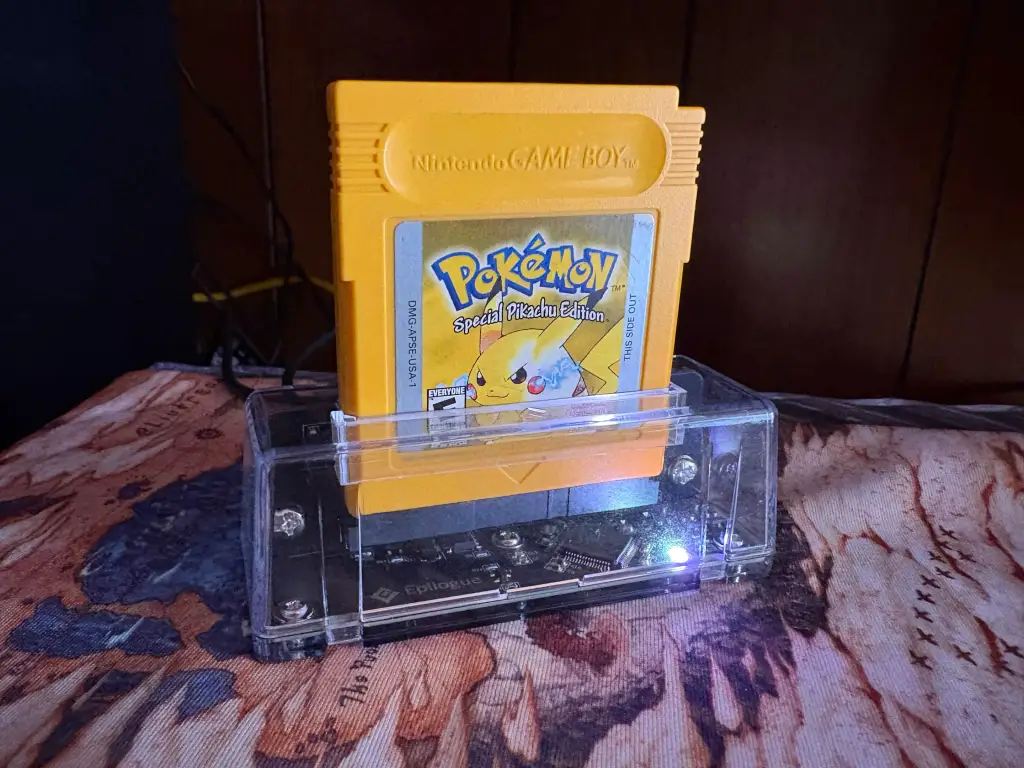
The Game Boy Operator is a USB device that let's you access your Game Boy cartridges from a personal computer. It is produced and sold by Epilogue, which also supplies free software called Playback that recognizes your game and tells you whether it is an authentic copy, allows you to backup and write not only the save file from your cartridge but also the overall ROM file (a digital copy of the game), and it also comes with a native emulator that allows you to play the game live on your PC with your keyboard or favorite gamepad. I do not have one to test it out, but I've seen photos on Reddit of people using it to play cartridges on the Steam Deck.
An additionally sweet feature is that the Playback software is integrated with Retroachievements, which provides user-created achievements and trophies for completing tasks in games inspired by platforms like Steam and PlayStation Network. You have the option to play in "Hardcore Mode," which basically keeps you honest and disables the use of save states so that you can report accurate play data for leaderboards.
The primary reason why I say the Game Boy Operator is a necessity, however, is its ability to read and write saves, which you will need to do when you eventually need to replace cartridge batteries, which I discuss below.
Replacing internal cartridge batteries
As mentioned above, if you are using authentic Game Boy cartridges, you will probably at a certain point need to replace the internal battery. This is especially important with generation one and two games, since the battery is what maintains your save file. In generation three games, the battery is what keeps time. This is why you may have seen a message when starting up a copy of Ruby, Sapphire, or Emerald stating that the battery is "dry." Fortunately, a "dry" or dead battery will not compromise your save data, but you will not be able to grow berries, which is important for postgame content. The generation one remakes (FireRed and LeafGreen) do not use batteries since there is no time-keeping element to the gameplay.
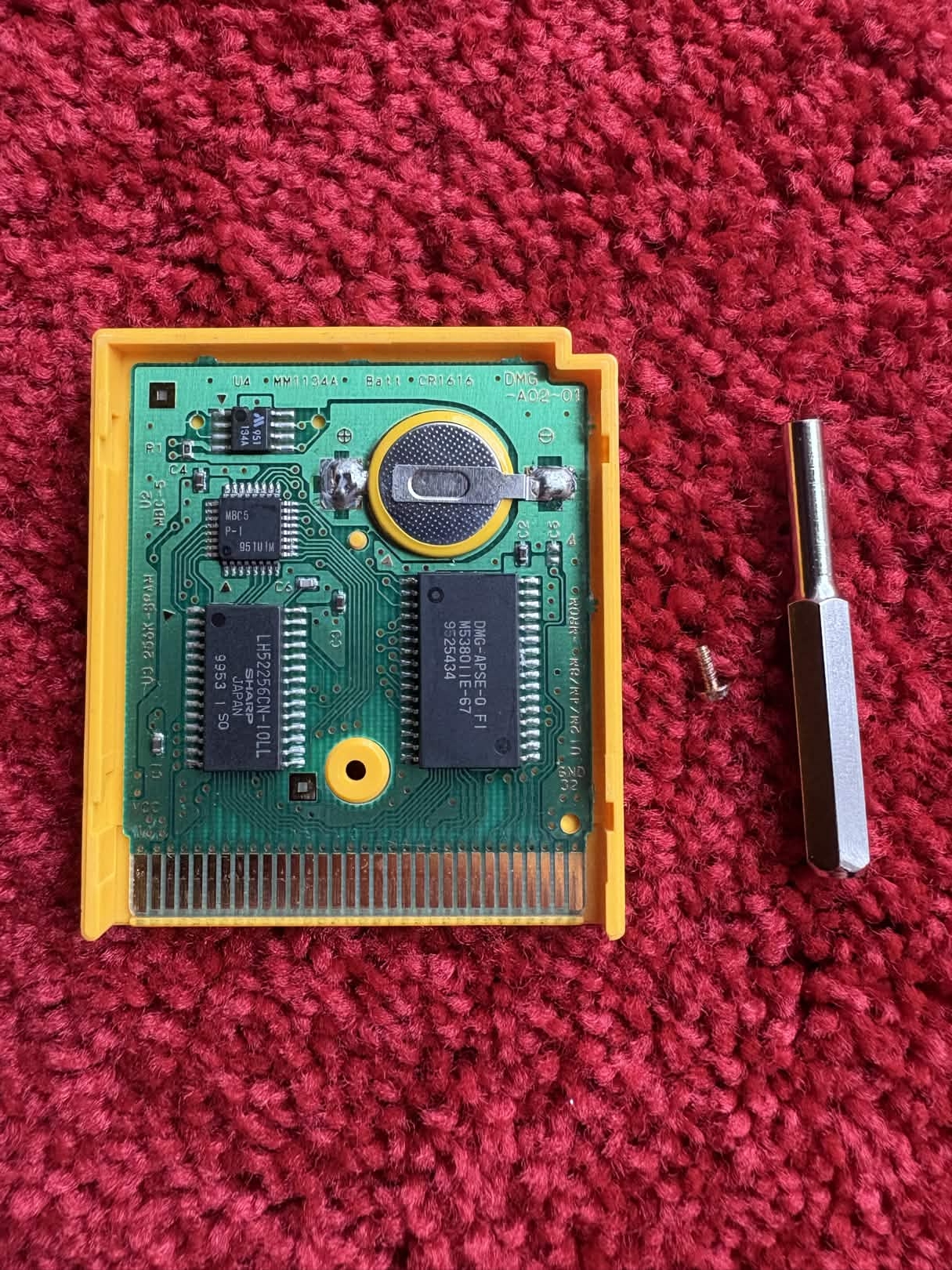
If you want or need to change your game batteries, you will have to find someone who knows how to solder or else teach yourself (please do not judge my poor first soldering job, pictured to the left). Soldering is the process by which electronic components are affixed to circuit boards by heating up "solder" (a metal alloy) to a liquid state and then allowing it to cool and harden to keep the desired component in place while also conducting electricity. Soldering kits that include soldering irons are relatively inexpensive, but I recommend that you read lots of tutorials and watch demonstration videos before you attempt it yourself. You can ruin the circuit board if you accidentally apply solder to the wrong place. You should also only solder in a ventilated place since the fumes can make you sick. I use my garage with the door open. In addition to a soldering iron and kit, you will need to purchase a special screwdriver to loosen the screw that keeps your cartridge together.
I provide here a list of which batteries to use on each game, since not all Pokémon titles utilize the same size. I've read posts online where people reported using slightly larger sizes for longer battery life, but I worry too much about hurting the circuit board. Also, make sure you purchase tabbed batteries! I foolishly made the mistake of buying the correct sized batteries without tabs before realizing I had nothing that I could use to solder to the circuit board.
- CR2025: Red, Blue, Gold, Silver, Crystal
- CR1616: Yellow, Ruby, Sapphire, Emerald
Good Flashcarts for Pokémon
I have personally only used two different flashcarts to play Pokémon games: one for the Game Boy Advance and one for the Nintendo DS. There is a great guide on GitHub that reviews various Game Boy flashcarts as well as options for running games on the Analogue Pocket, which I have never used.
EZ-FLASH Omega Definitive Edition
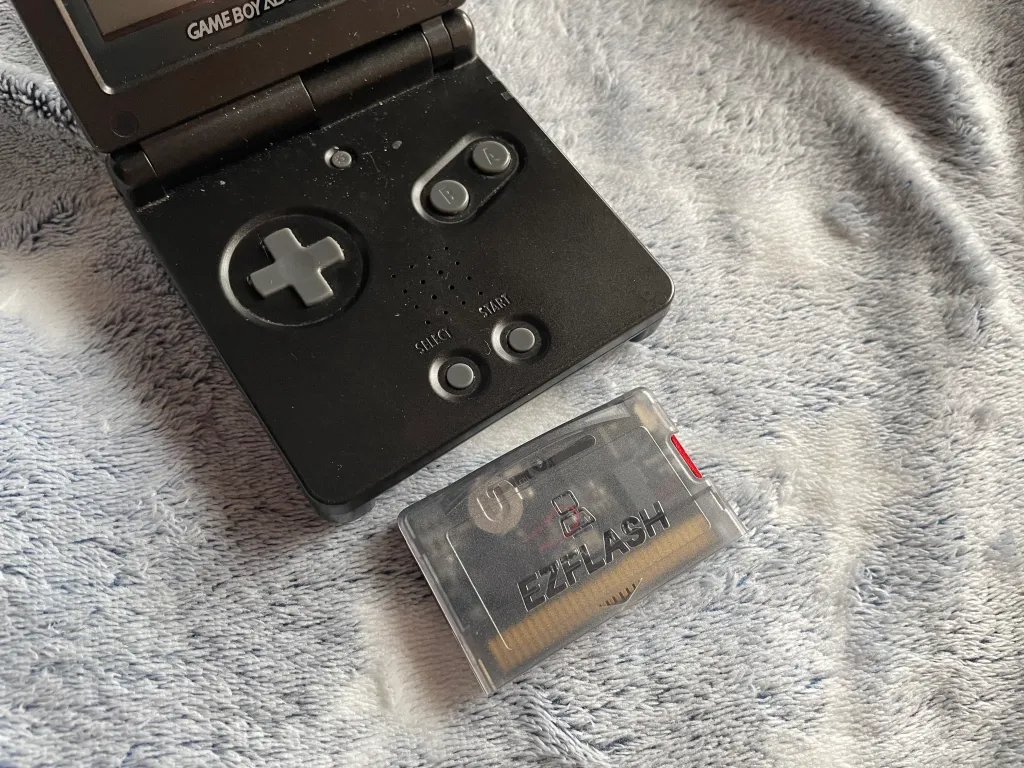
This flashcart is the best alternative to authentic cartridges for players who want the generation three experience on original hardware. I have successfully used it with Game Boy Advance SP consoles and inside the Game Boy Player on my Nintendo GameCube.
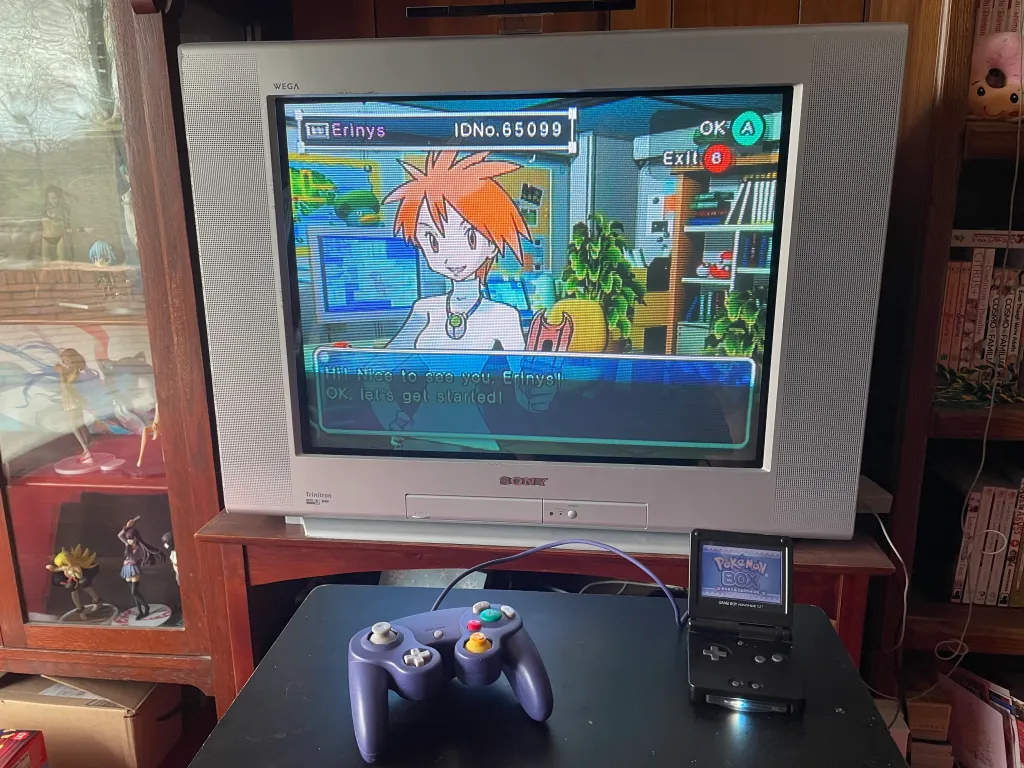
The reason you want to get the "definitive edition" is that (a) it is able to keep time in the games that have time mechanics; (b) it can conduct trades and interact with other generation three games, including Pokémon Colosseum, Pokémon XD, and Pokémon Box; and (c) it has a physical switch that when triggered lets you preload a specific ROM to run automatically without going through the regular mode's menu at startup. This latter function is particularly important since it allows you to place the flashcart into a Nintendo DS and migrate generation three Pokémon to generation four through Pal Park. There is no other way to do this outside of using authentic cartridges, since the Nintendo DS only accesses the save data of the Game Boy Advance game without running it.
R4 Gold Pro SDHC
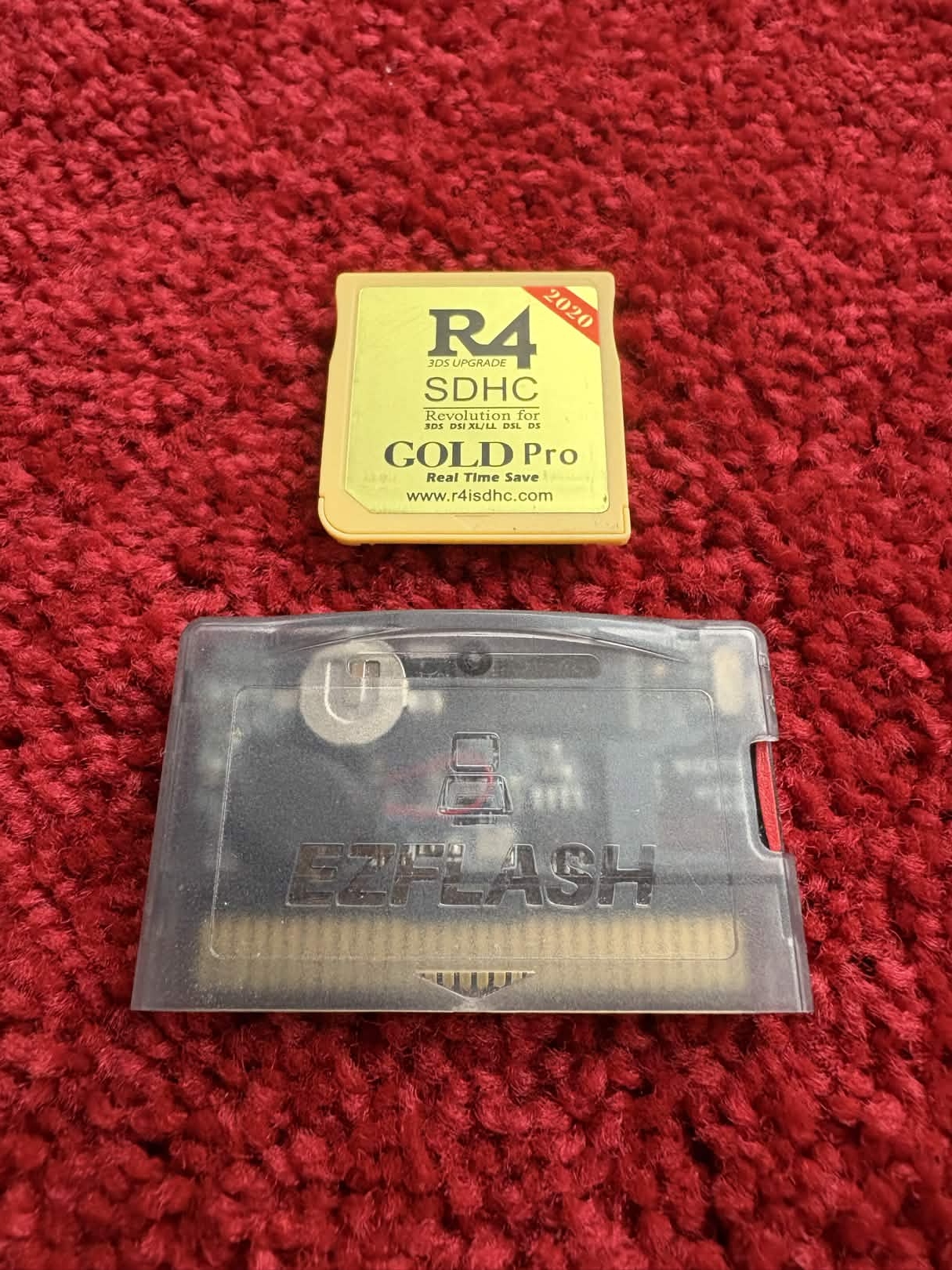
I purchased this Nintendo DS flashcart several years before I ever played any Pokémon games for the purpose of playing English fan-translated versions of Japanese-exlusive games on my Nintendo DS (specifically Fire Emblem: New Mystery of the Emblem and Ace Attorney Investigations 2, the latter of which now has an official English release). I recommend replacing the default kernel with RGF's YsMenu Fork. It works much more smoothly, and there were particular software utilities that I could not get to function otherwise (including GBABF, discussed below).
You can use this flashcart to trade between games and migrate Pokémon from the previous generation's authentic games or the EZ-FLASH Omega Definitive Edition as described above. However, the flashcart cannot be the game that is on the sending end of a generational migration. For example, you will need an authentic generation four game to migrate Pokémon to generation five (on a flashcart or authentic) because the Nintendo DS utilizes the "DS Download Play" feature, which accesses the save file of the game that is sending directly without actually running it (the same as I described for generation three migration above). The same goes for migrating from generation five to Pokémon Bank and beyond. The Poké Transporter software on the 3DS accesses the generation five cartridge's save file directly, so it will not recognize a flashcart.
Game Boy Advance Bootleg Flasher
This is arguably a pretty niche piece of software, but I did end up utilizing it because of a particular situation that I will explain. The Game Boy Advance Bootleg Flasher is a program that you run on a Nintendo DS flashcart (like the R4 Gold I just discussed above) that allows you to extract the data from a reproduction Game Boy Advance game that is inserted into the Game Boy slot of your Nintendo DS. Be sure to read all the disclaimers on the page I linked before using, since they warn that overusing the tool can break the repro cartridge and that Hall of Fame data is not intact. It produces a .bin file that you can backup and rewrite to your personal computer from your DS flashcart. Once you have the .bin file on your PC, you can use another tool called Bootleg Pokémon GBA Save Extractor and Injector to retrieve and create an independent save file that you can use in an emulator. I assume you could also inject this save onto an authentic cartridge using the Game Boy Operator, but I haven't tried it.
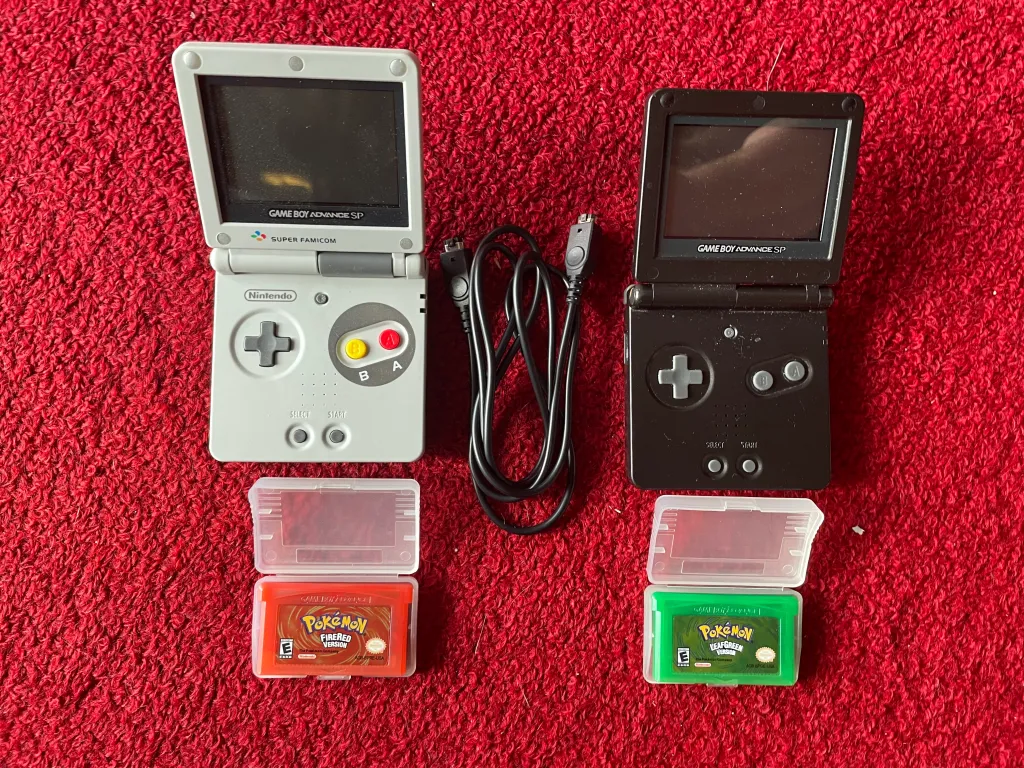
I found myself using this tool because when I first decided that I wanted to play Pokémon games and do living dexes and ribbon masters, I did not know that reproduction cartridges lacked the connectivity I have been describing throughout this page (a major reason why I am writing this page to begin with). I started with a reproduction copy of Pokémon LeafGreen, and I made a good amount of progress before I acquired a reproduction copy of Pokémon FireRed and a transfer cable and became supremely disappointed. I decided to purchase the EZ-FLASH Omega Definitive Edition discussed above, but I had already become attached to my Pokémon from my first hours in LeafGreen and wanted to save them from reproduction hell.
One side note: if you are a Linux user like me, you may have trouble getting the save extractor to work since the software is designed for Windows. I have a second solid-state drive with a Windows installation, so that was how I made it work.
Event Distribution ROMs
One of the most exciting things you can do with flashcarts, whether you are playing with authentic cartridges or not, is download event distribution ROMs that have painstakingly been put together by the fan community over the past few years. Ever since Pokémon video games have been published, the company has organized local distribution events where players could bring their games and receive special versions of rare Pokémon like Mew or shiny versions of beloved legendary Pokémon. These usually had special trainer codes and IDs. Beginning in generation four, with the introduction of wireless internet capabilities packaged with the Nintendo DS console, there were additional time-limited wireless distributions.
The only distribution ROMs that I have tried myself were generation four ROMs for Pokémon SoulSilver using my R4 Gold flashcart. Some of these distributions not only give you fancy Pokémon but also unlock extra story events within the game, like one that is triggered by obtaining a spiky-eared Pichu in HeartGold and SoulSilver. Another notable distribution was one featuring a Zigzagoon during generation three that can only be sent to Ruby and Sapphire and comes holding a Liechi Berry, which is one of the most useful berries in the game and is otherwise difficult to obtain.
Please know that these ROMs were made available by fans with the intention that they be free. You can obtain many of them on Digiex forums, so do not waste your money paying third party scalpers! It should go without saying that these distributions should only be used for fun and not sent up to Pokémon Home since they are not legitimate.
Using Nintendont on your Wii
Given that I have already presented some options here for enjoying generation three Pokémon games without spending a lot of money on authentic copies of the Game Boy Advance games, I will also discuss a way to play and use their Nintendo GameCube counterparts using (almost) original hardware. If you have a Nintendo Wii console, you can jailbreak it pretty easily and use it to play ISOs of the GameCube titles. Since the Wii has four GameCube controller ports and two GameCube memory card slots on the top, you can use OEM GameCube controllers and memory cards, as well as connect a Game Boy Advance link cable, which allows you to interact with Pokémon Colosseum, Pokémon XD, and Pokémon Box. You can even load up the Colosseum bonus disc to send yourself a copy of Wishmaker Jirachi. GameCube games, at the time of this writing, are particularly expensive, (especially Box, which is often offered for around $2,000), making this an important way to enjoy these great titles and activities without hurting your bank account.
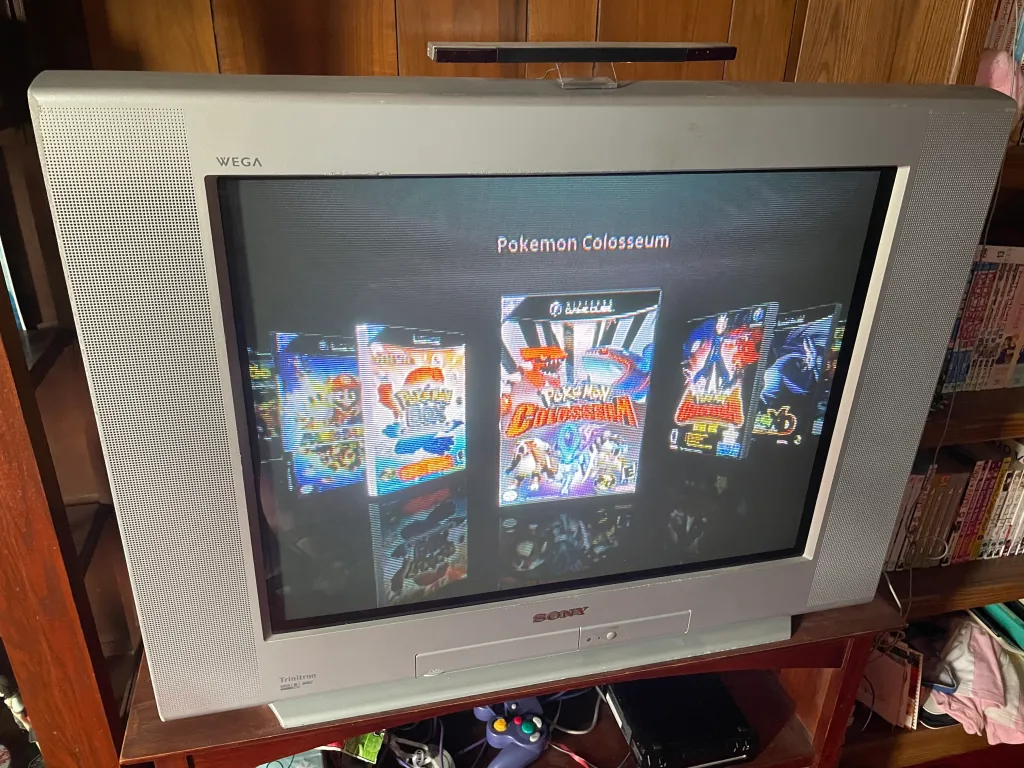
You can download and run the Nintendont GameCube emulator, and it has the option to save your data locally on whatever memory option you use to load your homebrew (I use an SD card, but I think you can use a USB drive as well). It also has a setting that needs to be enabled that allows the link cable to operate. One snag that I ran into is that I like to use WiiFlow to load emulated games (it has a prettier interface and lets you install box art for each game), but I could not enable the link cable from within that instance of Nintendont. I had to load up Nintendont independently and make sure it was pointing to the same save file location as WiiFlow whenever I wanted to make those interactions.
If you would like to convert your locally saved files from your Wii to an authentic Nintendo GameCube memory card, you can do so with the GCMM utility. If you need help figuring out which of your .raw save files belong to which games, you can use GameTDB to search for your game, and it will list the four-character code in the title. My method was to extract each save file's .gci on my PC using an emulator and then importing those .gci files into a backup .raw file made from my memory card using GCMM.
Acquiring Nintendo 3DS eShop titles
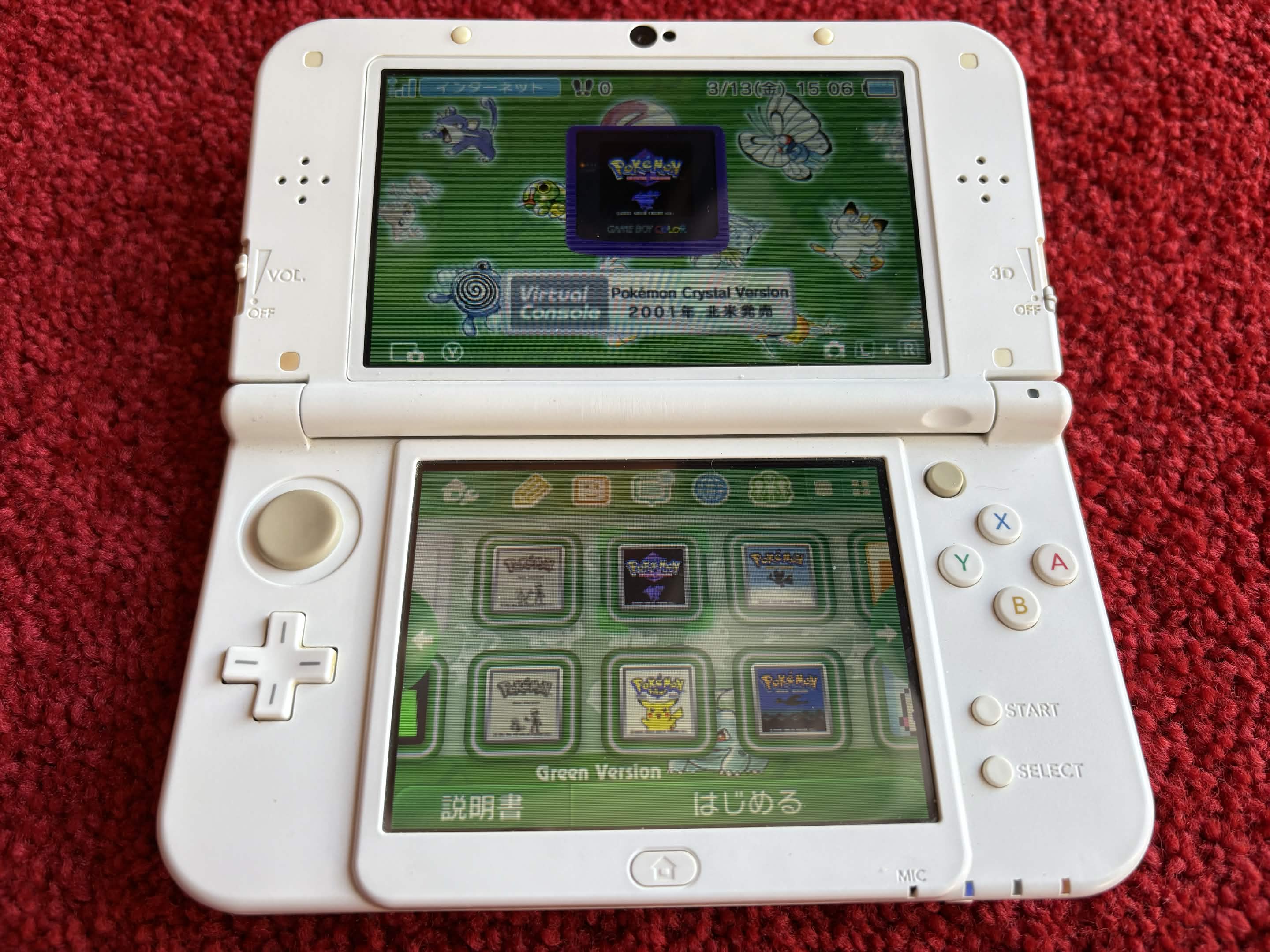
The Nintendo Wii, the Wii U and the 3DS all had eShops featuring digital "virtual console" games to purchase, usually rereleases of older games from previous consoles. The Nintendo 3DS eShop was particularly important to the topics of this web site since it allowed users to purchase digital copies of all of the generation one and two main titles as well as Pokémon Bank and Poké Transporter. Bank is software that is necessary to use to migrate Pokémon from generations one through seven up to Pokémon Home on the Nintendo Switch and Switch 2, and the Transporter is the utility that extracts Pokémon from generation five games and the virtual consoles games to place them in Bank. The virtual console editions of the generation one and two games also represented the only way that Pokémon could move to Home (via Bank) from those generations, given that there is no way to migrate them to generation three.
Unfortunately the Nintendo 3DS eShop closed for purchasing in 2023, so if you did not purchase any of these titles and you had not already downloaded the free Pokémon Bank and Poké Transporter utilities, there is no way to add them legitimately to your 3DS now. The only way you can acquire them now is by jailbreaking your 3DS and using a homebrew app called hShop. This app allows you to download virtually every 3DS game, whether Japanese exclusive or not, and also includes most if not all of the 3DS system themes as well.
Sending generation one and two Pokémon home
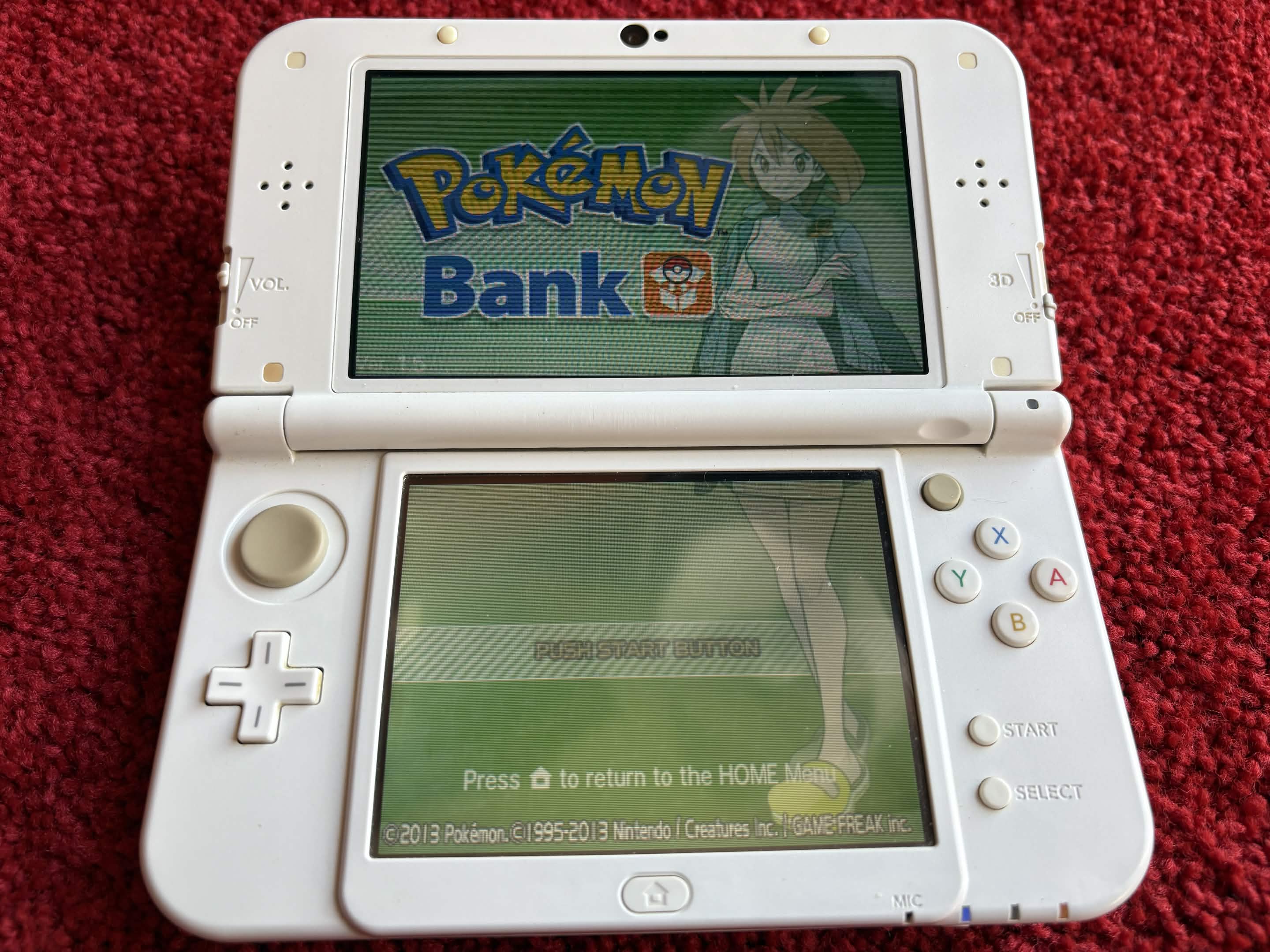
As I have written above, the 3DS virtual console editions of the generation one and two Pokémon games are the only versions that can legitimately send Pokémon to the modern Pokémon Home software on the Nintendo Switch and Switch 2. Does this mean that all of your authentic generation one and two Pokémon from the original Game Boy and Game Boy Color games are stuck in that ancient universe (not that there is anything wrong with that)? If you have a Game Boy Operator, the answer seems to be no. Some enterprising fans have figured out how to transplant the save files you can backup from your old cartridges (or from your emulator playthroughs) onto their virtual console counterparts. I have not tested this personally yet, but it seems you merely have to create a save file with the same title on the virtual console that can be replaced, and then you have to use an emulator to convert your save file extracted from your old cartridge into the correct format to match the 3DS. There is a full guide on the process at Digiex (Blue Moon Falls has a save converter for use with generation two).
One small caveat that I would suggest is that people who use this method take care that they do not transfer up Pokémon that would not be obtainable in the virtual console editions of the games. For example, if you meet certain requirements in Pokémon Stadium, you can receive gift Pokémon with a unique trainer name and ID that you would not normally see in the virtual console editions. I think transferring these types to Pokémon Home could flag your account since they should not technically exist on that platform.